Application Stack
Application observability
See who is visiting, how your release is performing, and what it costs in CPU and memory — from the application's Overview and Observability tabs.
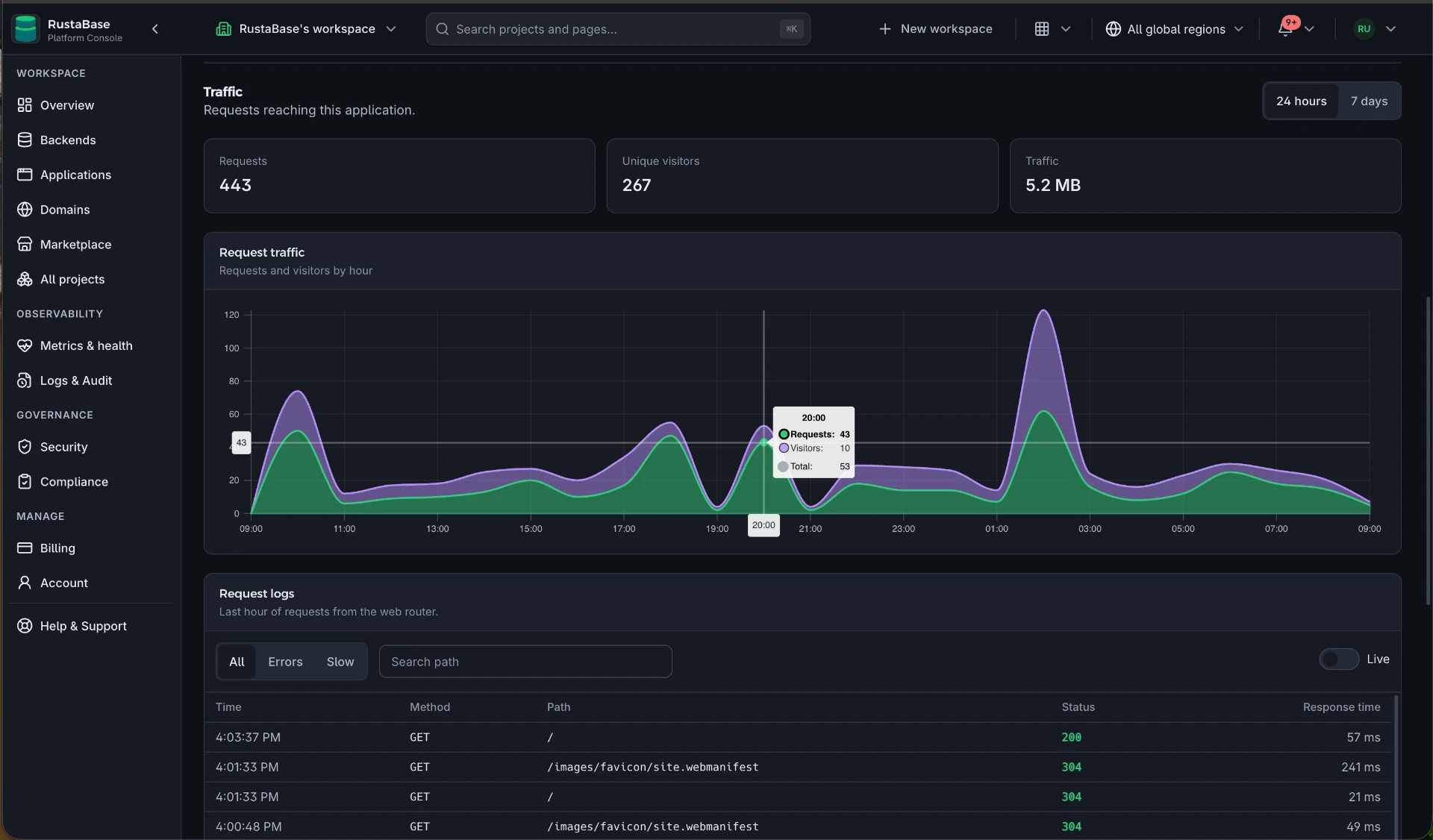
Traffic
- Requests, unique visitors, and transferred traffic for the last 24 hours or 7 days.
- A smooth request traffic chart showing requests and visitors by hour, with a hover readout for any point.
- Figures come from the visitor edge and can take a few minutes to appear.
Request logs
- The last hour of requests from the web router: time, method, path, status, and response time.
- Filter to All, Errors, or Slow requests and search by path.
- Switch on Live to stream new requests as they arrive.
Observability tab
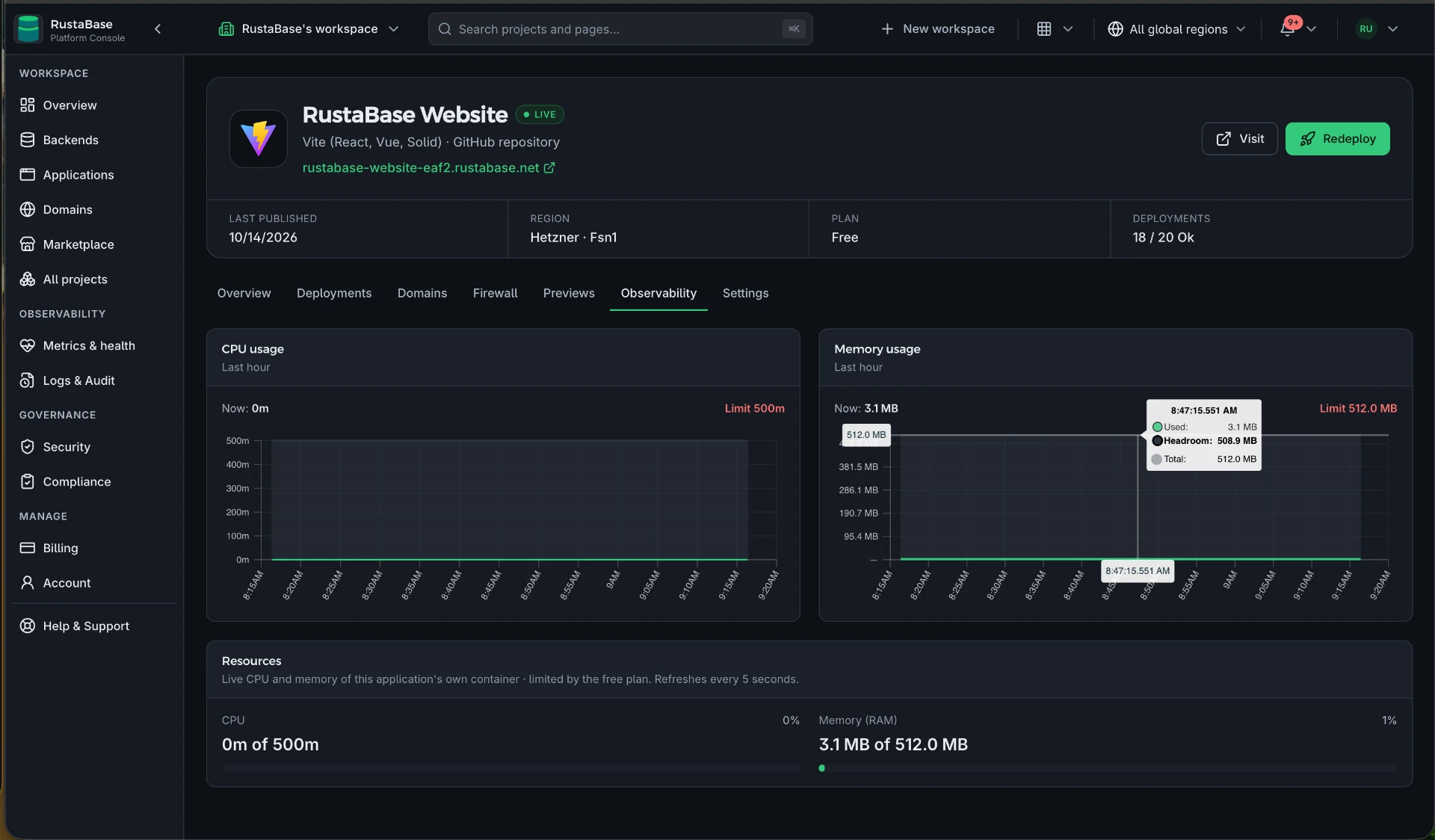
Stacked CPU and memory charts show the usage of the application's own runtime over time, compared with your plan limits. Usage is read only from the application's own isolated environment.
If metrics are temporarily unavailable, the application keeps running and plan limits still apply.
Health and alerts
- Public availability checks run once a minute; two consecutive failures mark an application down.
- Workspace notifications report when an application goes down and when it recovers.
- The header shows the current release, region, plan, and deployment count.
Troubleshoot a failed release
- Open Deployments and identify the first failed build or publish step.
- Open the linked GitHub run when you need the full build output.
- Check the build command, published folder, and application folder.
- Confirm required environment variables target the right environment.
- Fix the cause and redeploy, or use Roll back to this on an earlier release.
Found something wrong on this page?
Fix it yourself. The link below opens this file in GitHub's editor and forks the repository for you if you need one, and your change becomes a pull request without leaving the browser.