Application Stack
Application firewall
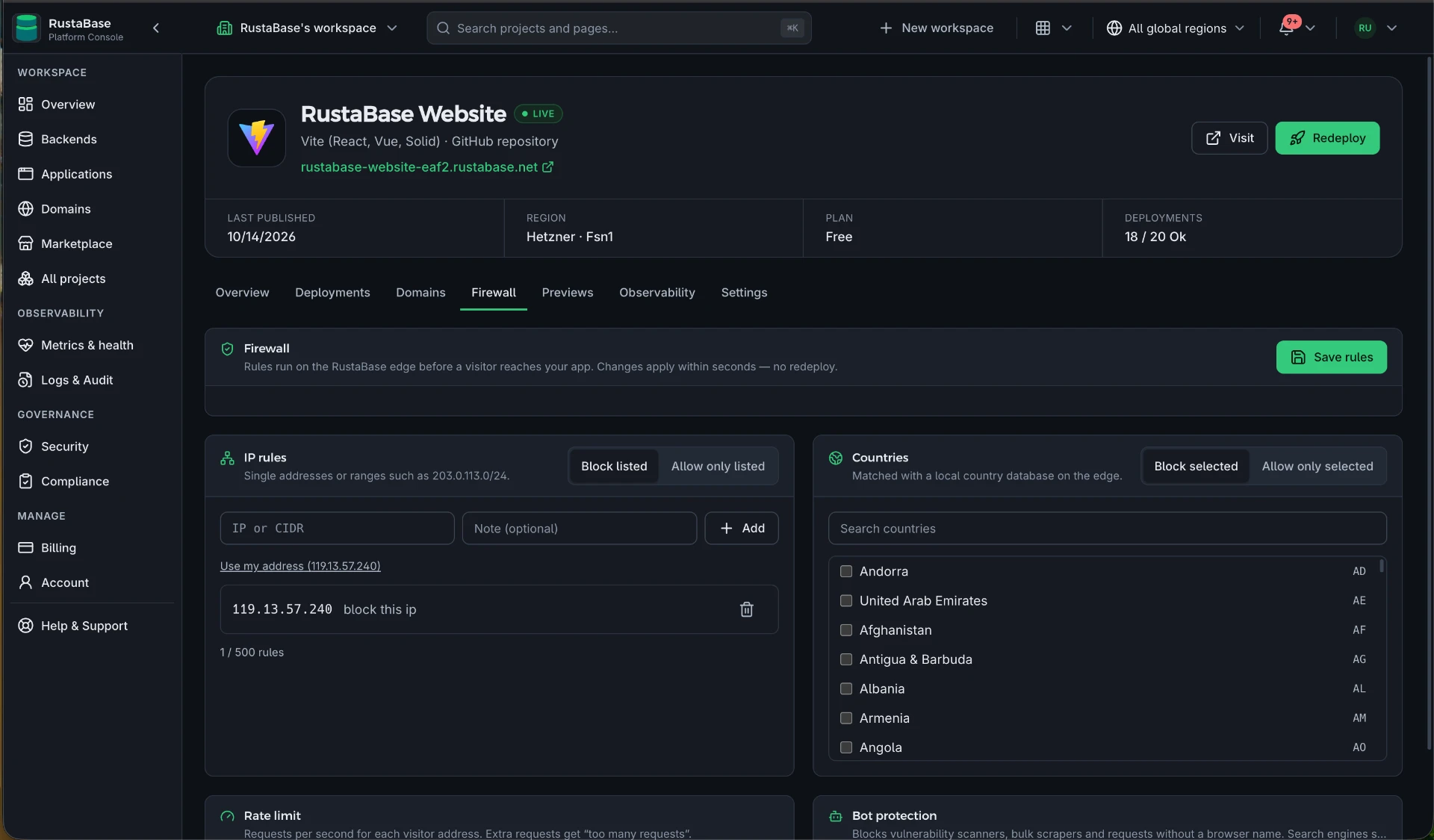
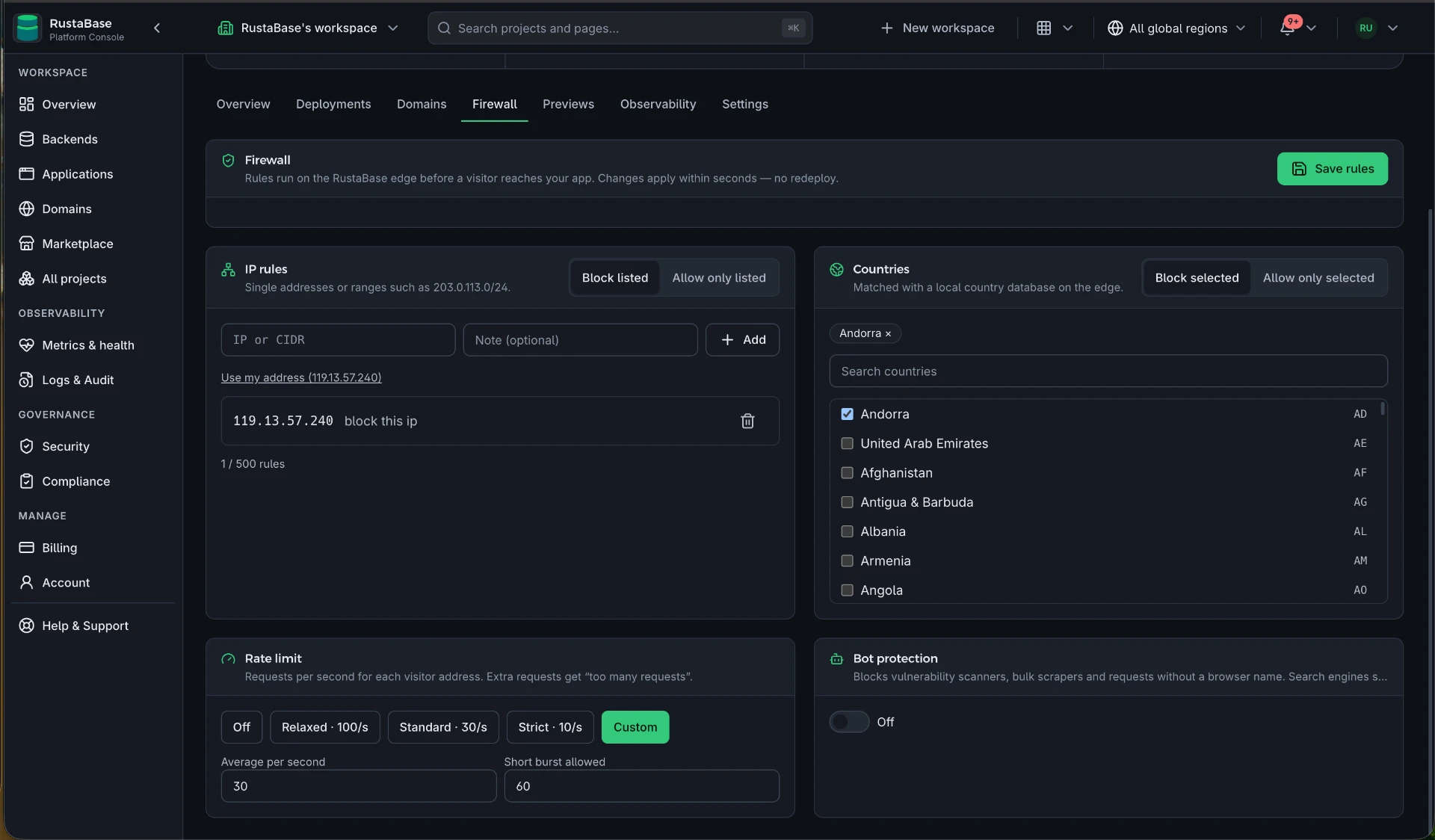
Every application has its own firewall that runs at the RustaBase visitor edge, before a request ever reaches your release. Block countries and IP ranges, rate-limit visitors, and turn away automated bots from the application's Firewall tab.
What you can control
| Rule | What it does |
|---|---|
Blocked IPs and ranges | Reject single addresses or CIDR ranges such as 203.0.113.0/24. |
Blocked countries | Reject visitors whose address belongs to a selected country. |
Rate limit | Cap requests per visitor per minute; extra requests receive 429 Too Many Requests. |
Bot protection | Reject known automated clients and scrapers by their user agent. |
Add a rule
- Open the application and select the Firewall tab.
- Add an IP or range, choose countries, set a requests-per-minute limit, or switch on bot protection.
- Save. Rules apply to new requests within moments, across every edge copy.
- Remove a rule the same way to allow traffic again.
How it works
Visitor traffic is served by a dedicated visitor edge, separate from the console and platform APIs. The edge checks the visitor's real address, country, user agent, and request rate, then forwards allowed requests to your application over the private network.
Rate limits are counted at the edge and shared across its copies, so a limit stays close to the value you set as the edge scales.
Firewall features depend on your plan. Blocked visitors receive a short error response and never reach your application or count toward its resources.
Test a rule safely
- Block your own IP address on a preview or low-traffic application.
- Open its address; the request should be refused immediately.
- Remove the rule and reload to confirm access returns.
Fix it yourself. The link below opens this file in GitHub's editor and forks the repository for you if you need one, and your change becomes a pull request without leaving the browser.