Application Stack
Deployments, hooks, and rollback
Follow every release, control automatic publishing, trigger builds from another service, and return to the previous kept version without rebuilding.
Build progress and history
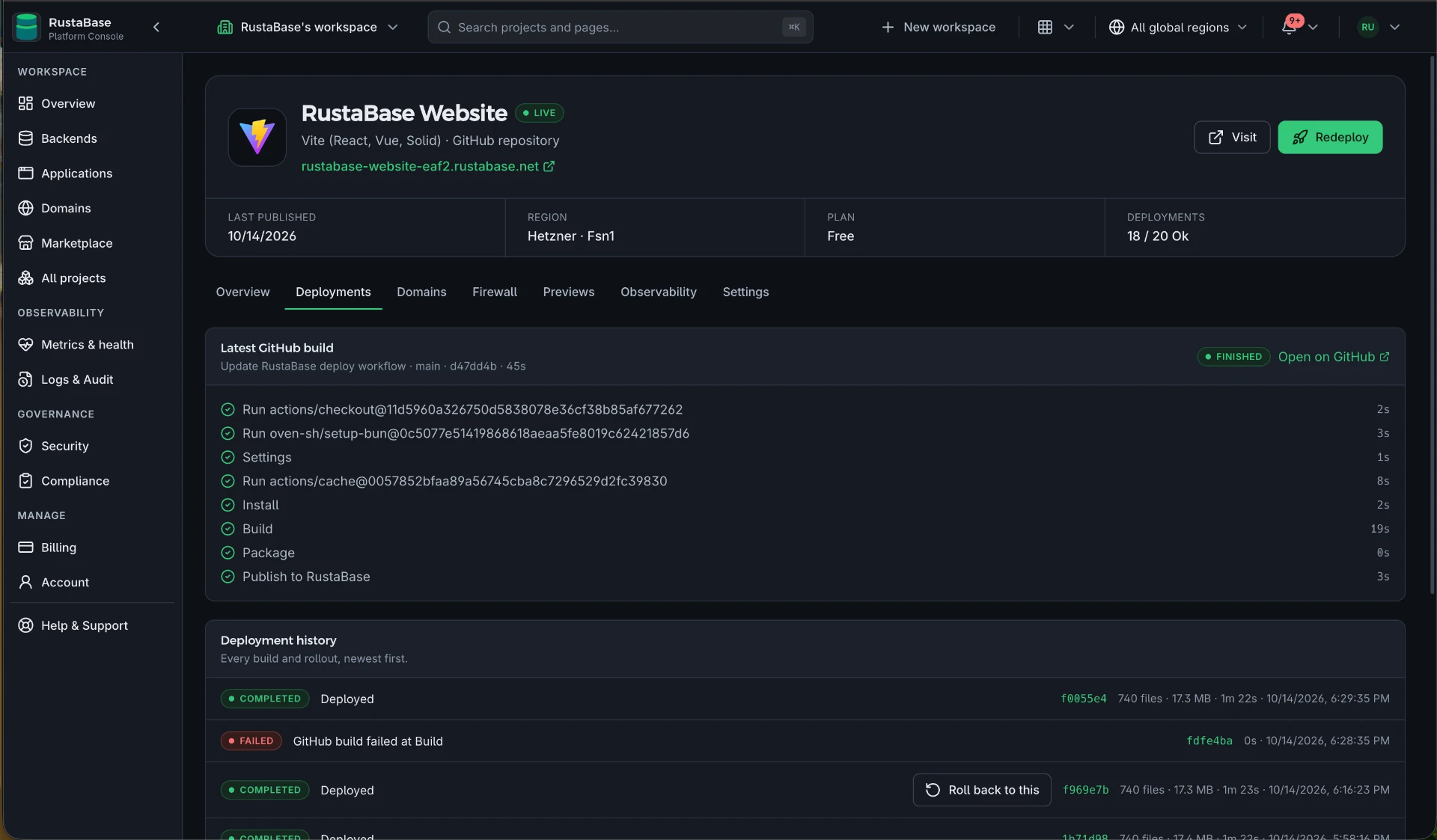
- The latest GitHub run shows queued, building, finished, cancelled, or failed status.
- Build steps and their durations refresh every few seconds while the run is active.
- The GitHub link opens the complete workflow run.
- When a workflow fails, the deployment records focused error lines from the failed job.
- Deployment history records the source commit, status, duration, and release result.
Safe replacement
A deployment starts the new copy under a new internal name. RustaBase waits for its health check, switches the saved application address, and keeps the old copy serving briefly so in-flight requests can finish. If the new copy does not become healthy, the current release remains in place.
Rollback
The live release and the immediately previous successful release are retained. Select Roll back to this beside the eligible deployment to put that release back without rebuilding it. RustaBase still waits for health before switching traffic.
Rollback is available only while that release is retained; older history can remain visible after its runnable release has been retired.
Deploy hooks
Create a deploy hook when a CMS, scheduler, or automation should start the same redeploy used by the console. Send an HTTP POST to the generated secret address. The full address is shown once; RustaBase stores only a hash, and replacing or removing the hook invalidates the old address.
Fix it yourself. The link below opens this file in GitHub's editor and forks the repository for you if you need one, and your change becomes a pull request without leaving the browser.